
Swerve Basics
A swerve drive can slide sideways, drive diagonally and spin, all at the same time. This page names its parts and the terms the next pages use.
- The words CAN bus, CANcoder and CANivore, from Hardware Setup.
- A swerve robot to look at, for the check at the end.
Components
A swerve drive has a module at each corner: front left, front right, back left and back right, named from behind the robot. Every module can point its wheel in any direction, so the robot can travel one way while facing another.
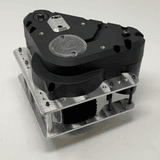
Swerve module
Two Kraken motors and a CANcoder. The drive motor spins the wheel, the steer motor points it, and the CANcoder reads which way it points.
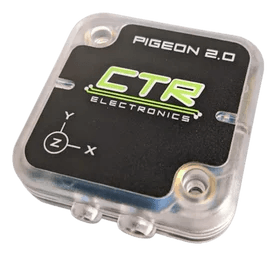
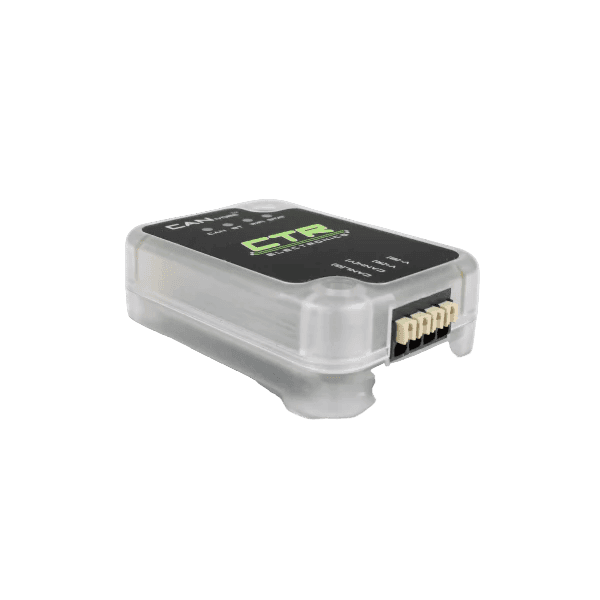
That is thirteen devices: eight motors, four CANcoders and one Pigeon 2. You never write the math that turns "drive left while turning" into eight motor commands. Tuner X generates it on the next page.
Basic terms
- Robot-centric
- Forward is wherever the robot's front points. Turn the robot around and every stick input is mirrored.
- Field-centric
- Forward is down the field, away from your driver station, no matter which way the robot faces. It needs the Pigeon 2 to know the heading.
- Translation2d
- A spot on the field: X and Y in meters.
new Translation2d(2.0, 6.5)is 2 m down the field and 6.5 m across it. - Rotation2d
- A heading, the way the robot's front points.
Rotation2d.fromDegrees(90)faces +Y. - Pose2d
- A
Translation2dand aRotation2dtogether: where the robot is and which way it faces.new Pose2d(new Translation2d(2.0, 6.5), Rotation2d.fromDegrees(90))is that spot, facing +Y. - Odometry
- How the robot keeps track of its
Pose2d. Every loop it adds up how far each wheel turned. It never checks the field, so slip and bumps make it drift.
X runs down the length of the field, away from the blue driver station. Y runs across it, to the left. A heading of 0° faces along +X. The frame does not flip on red: a red robot at its own wall reports a large X.
Check your work
Power off. Stand behind a swerve robot with its front pointing away from you.
- Name the four corners: front left, front right, back left, back right.
- On one module, find the drive motor, the steer motor and the CANcoder.
- Find the Pigeon 2 and the CANivore. Count the devices on the bus.
You should see
Thirteen devices: eight motors, four CANcoders and one Pigeon 2.
Check yourself
You are driving field-centric. The robot's front points at you. You push the left stick away from yourself. What does the robot do?
What does field-centric driving need that robot-centric does not?
What does a Pose2d hold?
Why does odometry drift over a match?